



Canva has earned its place as the go-to graphic design tool for non-designers, content creators, and marketers alike. Its ease of use, massive template library, and drag-and-drop functionality have made it a household name in DIY design.
But Canva isn’t the only player in town - and it’s not always the best fit for everyone. Whether you’re looking for more interactive features, better data visualisation, or simply want to explore something new, several alternatives bring fresh perspectives and powerful capabilities to the design table.
In this article, we’re spotlighting five Canva competitors that are well worth exploring. From infographics and presentations to social media graphics and AI-powered editing, these tools bring their unique flair to visual content creation.
Top 5 Canva Competitors That Deserve the Spotlight
If you're looking to elevate your design game without relying on Canva, these five platforms are strong contenders. Each offers a unique combination of features, from interactive content to AI photo editing, that can match or even surpass Canva in specific areas. Whether you're a marketer, educator, freelancer, or business owner, these tools deserve your attention.
1. Visme
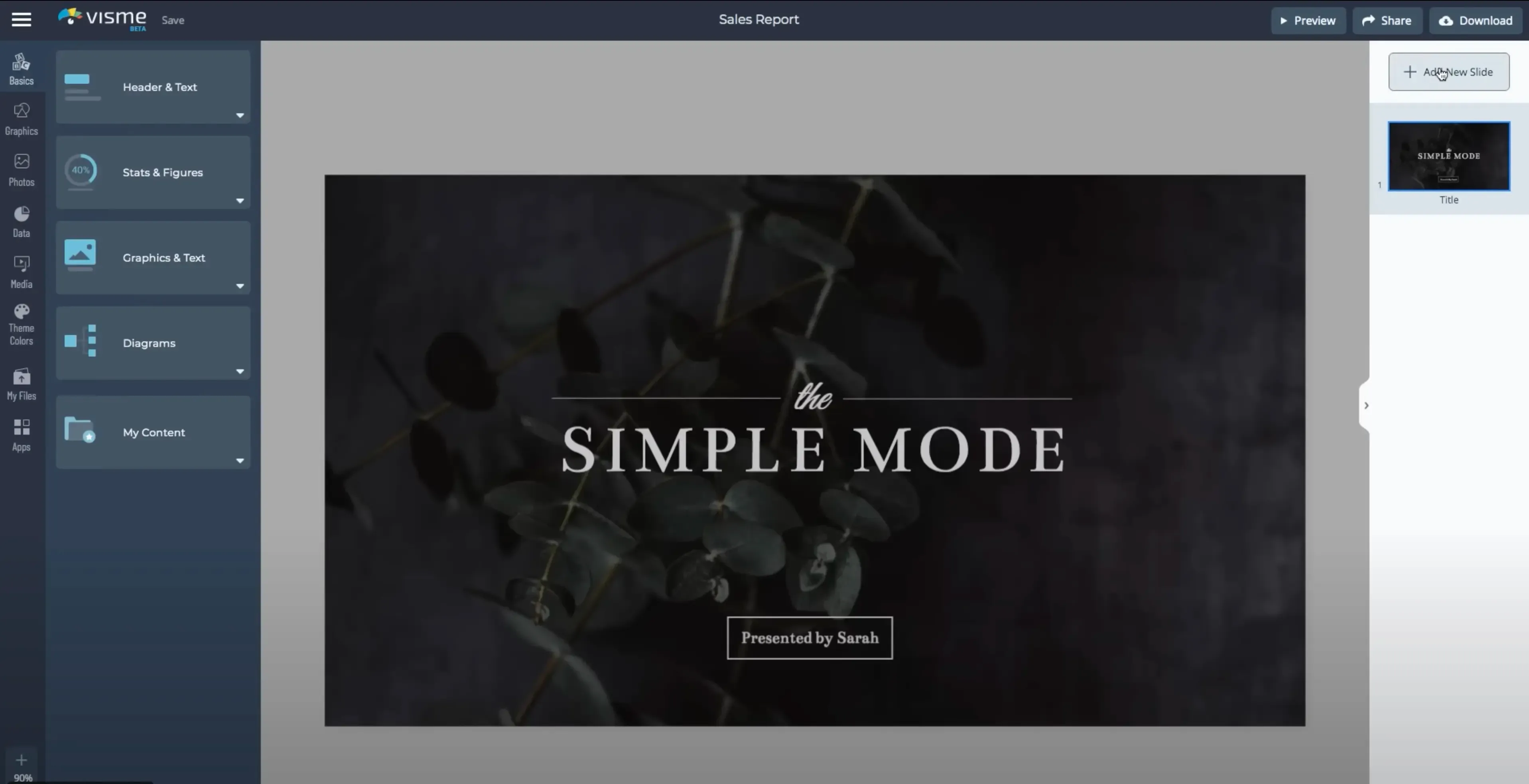
Visme is a content creation platform built for visual storytelling - particularly for presentations, infographics, reports, and interactive content. It’s ideal for professionals who work with data or need to create content that’s both visually polished and functionally rich.
The prices below are discounted with yearly billing.
| Plan | Price | Key Inclusions |
|---|---|---|
| Free | $0 | Limited templates, 100 MB storage |
| Starter | $29/month | Basic download/export, templates, brand kit |
| Pro | $59/month | Interactivity, analytics, expanded asset library |
| Enterprise | Custom | Team management, SSO, advanced controls |
Key Features
- Interactive infographics and presentations
- Charts, graphs, maps, and data widgets
- Custom branding (logos, colors, fonts)
- Analytics and viewer tracking
- Team collaboration tools
| Pros | Cons |
|---|---|
| Excellent for data-driven content like reports and dashboards | Slight learning curve for interactive features |
| Built-in analytics to track viewer engagement | Free plan is quite limited, especially for exports |
| Interactive elements (e.g., pop-ups, links, hover effects) | Animation tools are functional but not very customizable |
| Supports team branding and collaboration | Interface is slower than Canva for simple tasks |
2. VistaCreate (formerly Crello)
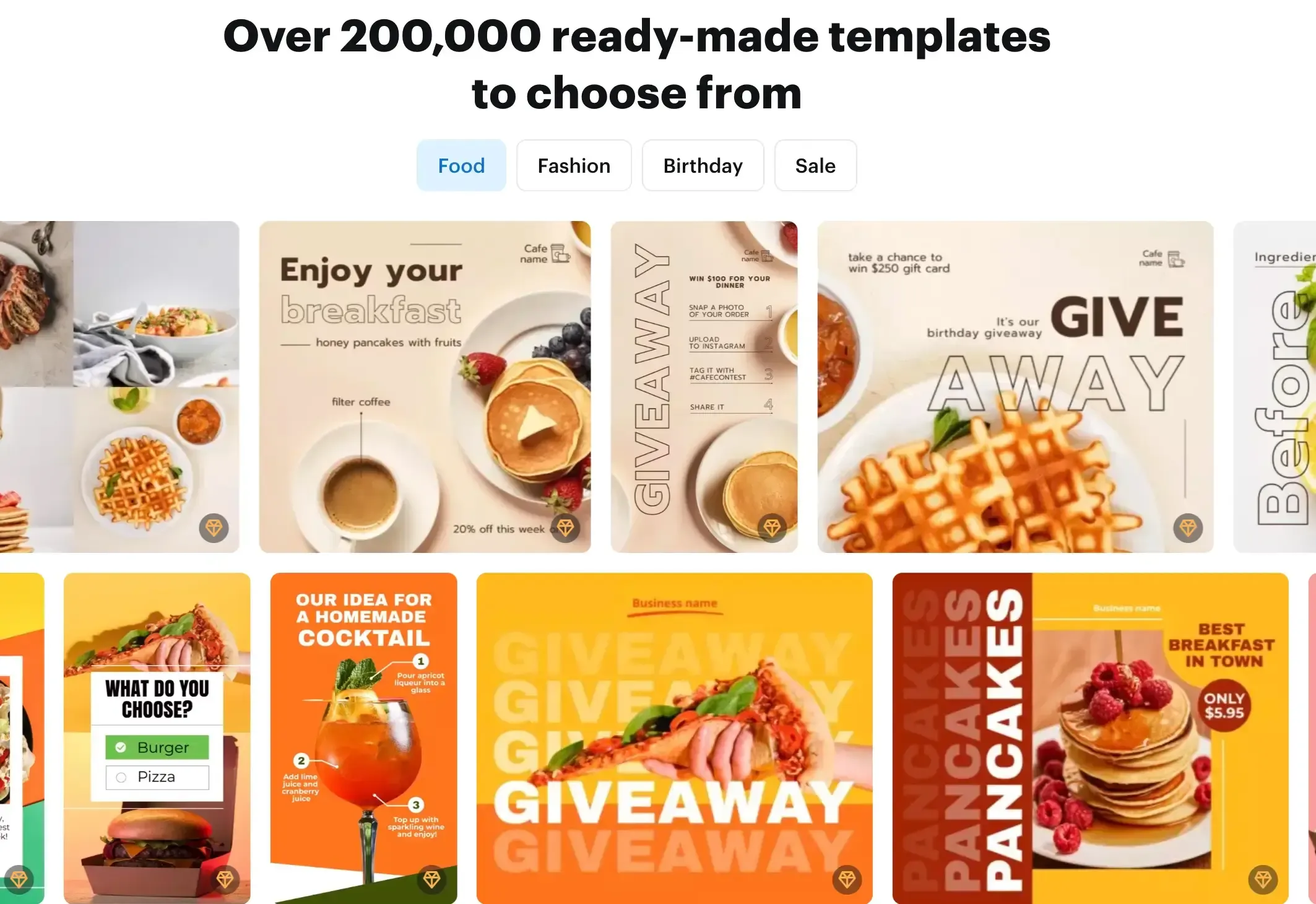
VistaCreate is a user-friendly design platform that feels very similar to Canva but shines in its ability to create animated social media content. It's ideal for small businesses, creators, and marketers focused on digital channels.
The prices below are discounted with yearly billing.
| Plan | Price | Key Inclusions |
|---|---|---|
| Free | £0 | 75K+ templates, stock library, 10 GB storage |
| Pro | £13/month | Background remover, brand kit, premium assets |
Key Features
- Animated templates and motion graphics
- Video editor and stock music access
- Social media scheduling
- Background remover in Pro plan
- Brand kit for visual consistency
| Pros | Cons |
|---|---|
| Great for animated and motion-based social content | Limited third-party integrations (e.g., no Google Drive or Slack) |
| Budget-friendly Pro plan | Image resizing lacks precision vs. Canva’s “Magic Resize” |
| Easy transition for Canva users due to similar interface | Collaboration tools not as advanced |
| Includes background remover in lower pricing tier | Some templates feel less refined in niche categories |
3. Piktochart
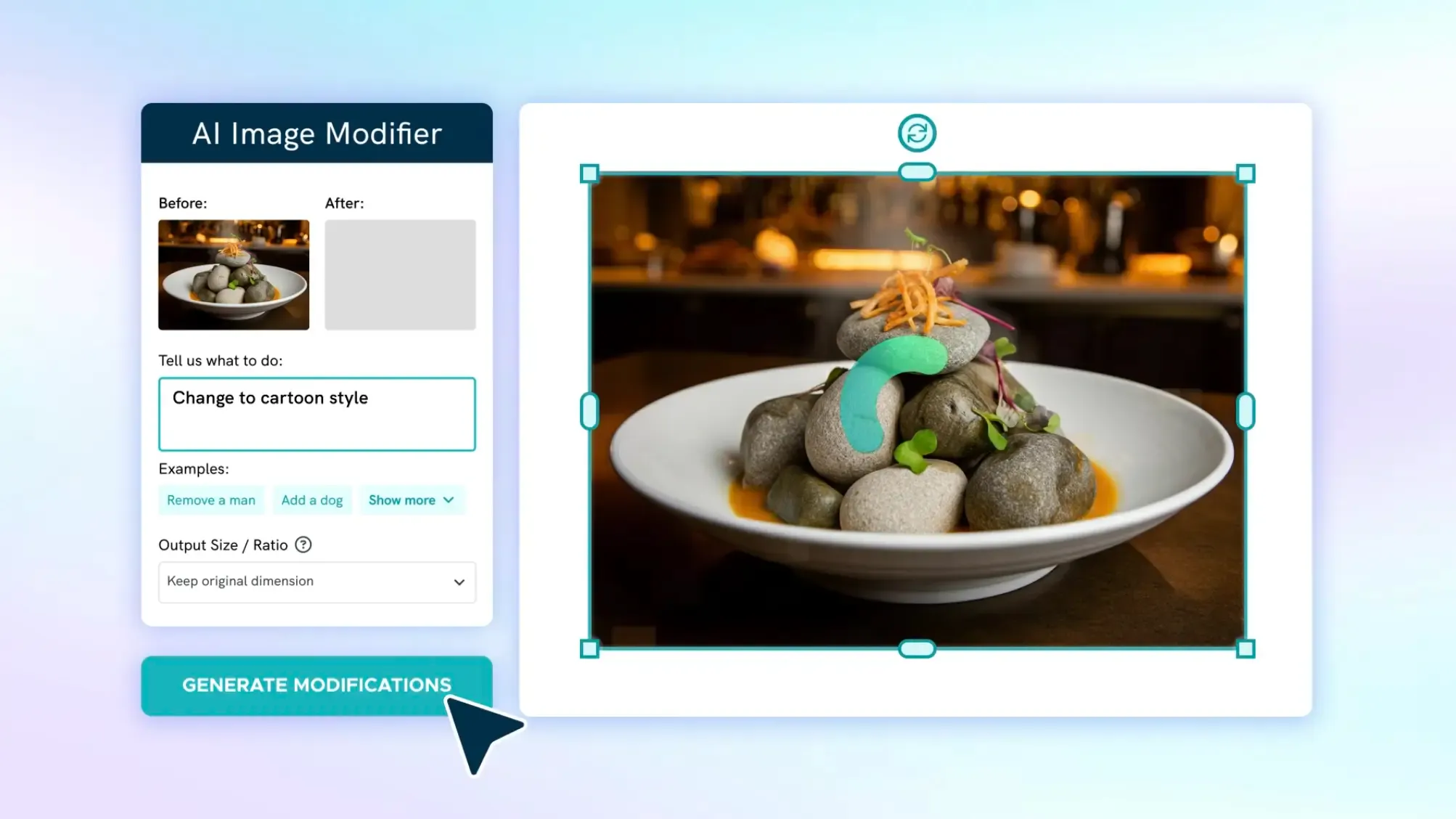
Piktochart specializes in infographics, reports, and presentations. If your work involves data visualization or professional reports, this tool simplifies that process without needing graphic design expertise.
The prices below are discounted with yearly billing.
| Plan | Price | Key Inclusions |
|---|---|---|
| Free | $0 | 5 visuals with watermark |
| Pro | $29/month | Unlimited visuals, brand assets, exports |
| Business | $49/month | Unlimited Brand Colors Schemes, Custom Fonts, Logos |
| Enterprise | Custom pricing | Team tools, onboarding, advanced permissions |
Key Features
- Charts, maps, and graphs with live data integration
- Infographic and report-specific templates
- Download in high-quality formats (PDF, PNG, PPTX)
- Custom branding tools
- Team libraries and shared folders
| Pros | Cons |
|---|---|
| One of the best tools for infographic and report creation | Not ideal for general graphic design like ads or social posts |
| Data visualization is intuitive with real-time updates | Free version is heavily restricted |
| Integrates with Google Sheets | Limited creative flexibility compared to Canva |
| Strong support for internal communications | No animation or video features |
4. Fotor
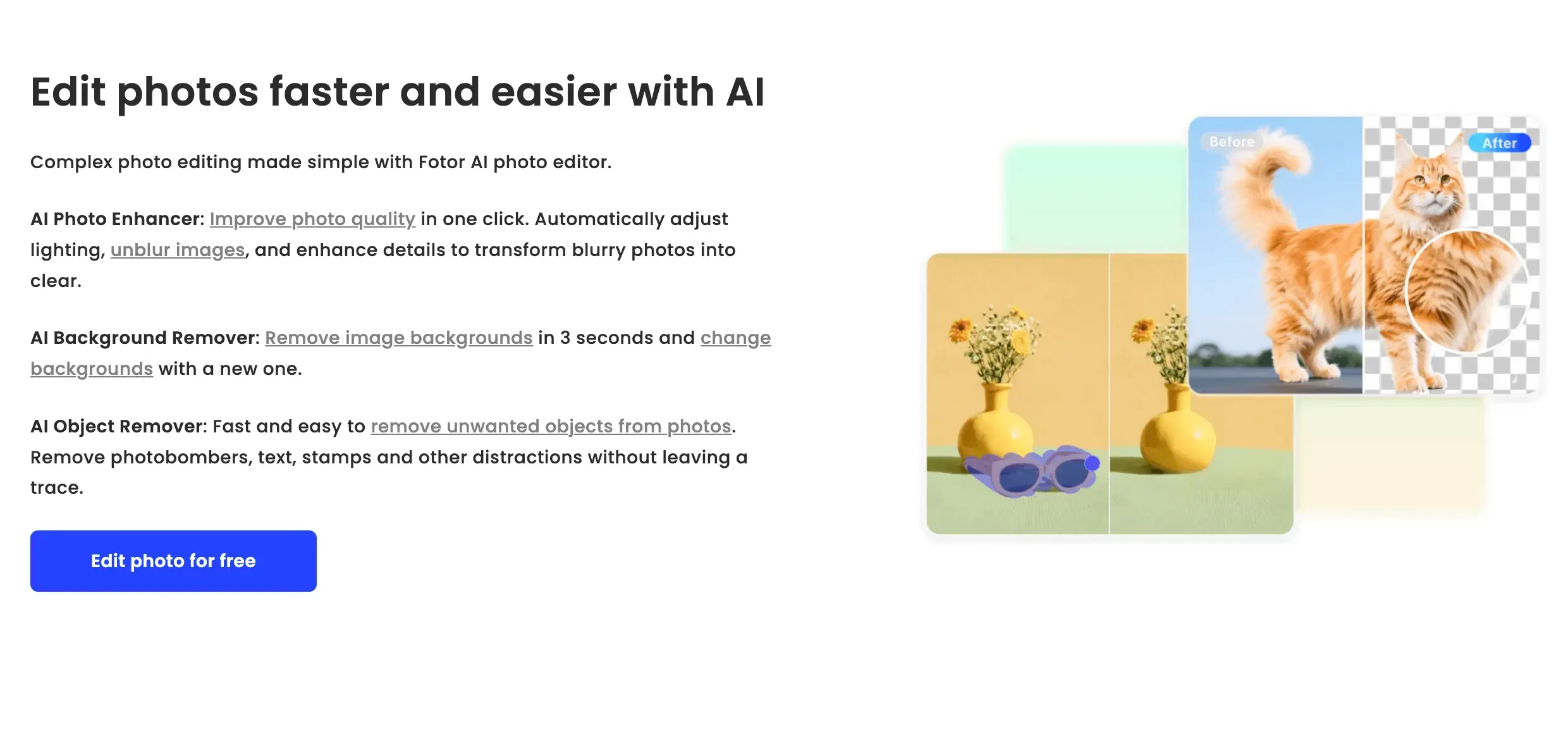
Fotor is a hybrid platform combining photo editing and graphic design with a growing suite of AI-powered tools. It's especially appealing to users who work with photography-based content or want quick enhancements with minimal effort.
The prices below are discounted with yearly billing.
| Plan | Price | Key Inclusions |
|---|---|---|
| Free | £0 | Basic editor, limited templates, watermarked exports |
| Pro | £7.99/month | No ads, advanced editing tools, cloud storage |
| Pro+ | £17.99/month | Includes stock photos, more AI tools, premium templates |
Key Features
- One-tap photo enhancement (AI-powered)
- Background remover and AI retouching
- Templates for logos, posters, social media, resumes, etc.
- Collage maker and HDR image effects
- Cross-platform access (browser, desktop, and mobile)
| Pros | Cons |
|---|---|
| Excellent photo editing features for a lightweight tool | Not as strong for general-purpose graphic design (e.g., presentations) |
| AI tools like background remover and photo enhance are intuitive | Free version includes watermarks and ads |
| Easy-to-use with a clean interface | Template variety is narrower than Canva |
| Affordable pricing compared to photo editing suites | Some AI tools lack precision or customization options |
5. Snappa
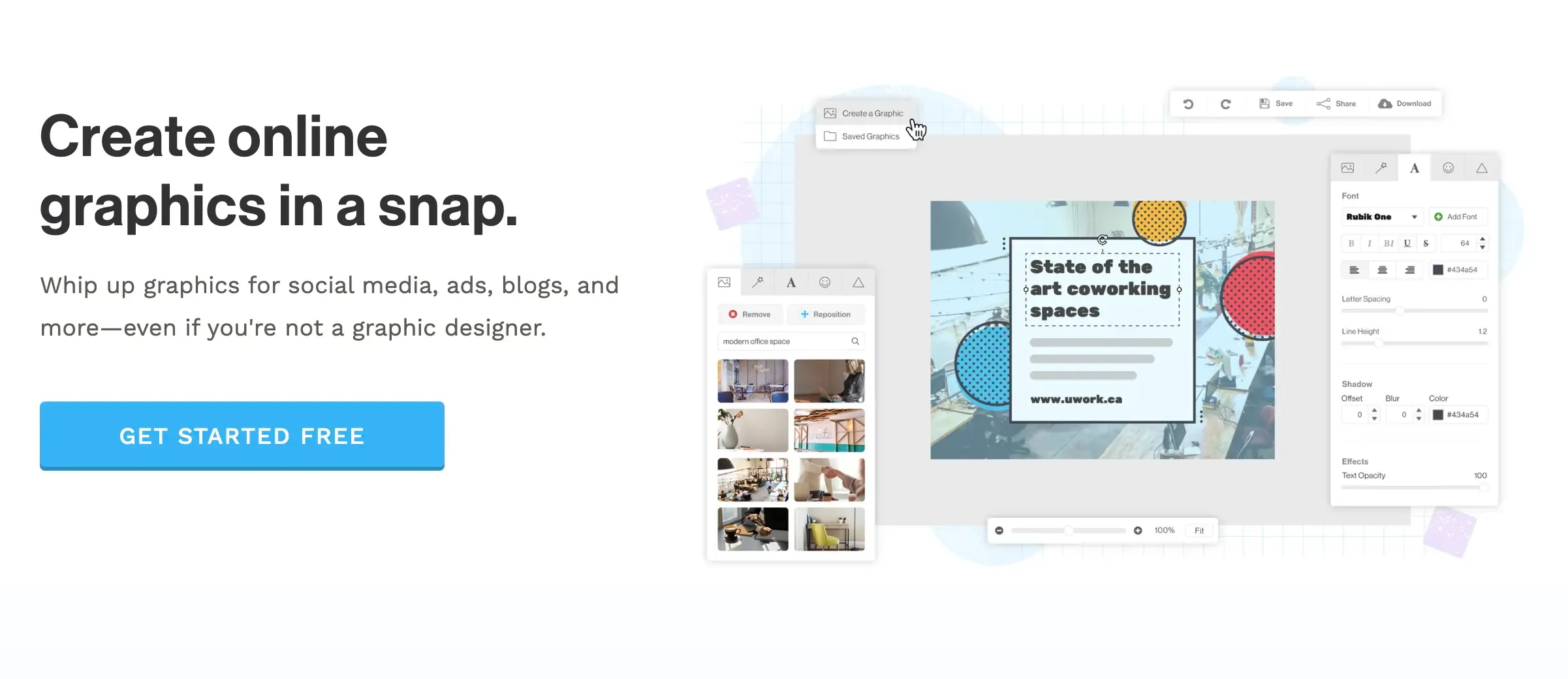
Snappa is a fast and simple design tool aimed squarely at content marketers, bloggers, and social media managers. It’s ideal for quick-turnaround visuals and teams that don’t need bells and whistles but want consistent, branded content.
The prices below are discounted with yearly billing.
| Plan | Price | Key Inclusions |
|---|---|---|
| Free | $0 | 3 downloads per month, limited templates and assets |
| Pro | $15/month | Unlimited downloads, full template access, brand kit |
| Team | $30/month | All Pro features, up to 5 users |
Key Features
- 6,000+ pre-built templates for marketing, blogs, social media
- Access to 5 million+ royalty-free HD photos and graphics
- One-click resizing for multiple platforms
- Brand kit with saved colors, fonts, and logos
- Direct sharing to social media platforms
| Pros | Cons |
|---|---|
| Incredibly fast workflow for creating and exporting designs | Lacks support for video or animation |
| One-click resizing is smooth and efficient | Free plan is extremely limited |
| Great stock asset library (included in Pro pricing) | Not ideal for presentations or multi-page content |
| Simple and intuitive interface - perfect for non-designers | Limited customization and advanced design features |
4 Key Factors to Consider Before Choosing a Canva Alternative
Before you switch from Canva or commit to a new design tool, it's important to understand what you're really looking for. Not all platforms are created equal, and the right choice depends on your specific needs, workflow, and budget. Here are four key factors to consider when evaluating Canva alternatives:
1. Design Purpose and Use Case
Are you creating social media graphics, presentations, infographics, or promotional materials? Each platform has its strengths. Some are built for data-heavy visuals, others are ideal for social-first content or AI-enhanced editing. Your primary use case should drive your decision.
Tip: If you work with charts, reports, or training material, consider a platform that supports interactive or data-focused design like Visme or Piktochart.
2. Ease of Use and Learning Curve
Some platforms are built for speed and simplicity, while others offer advanced features that come with a steeper learning curve. Consider your comfort level with design tools and how much time you're willing to spend learning a new interface.
Snappa and VistaCreate are highly intuitive for beginners. Visme offers more depth but may take time to master, especially when working with interactive content.
3. Asset Libraries and Customization
Good design depends on high-quality assets and flexible customization. Check if the platform includes access to stock photos, videos, and icons - and whether it allows you to save brand assets like colors, fonts, and logos.
If you want more creative control and a large asset library, look into tools like VistaCreate or Snappa. If photo editing is your priority, Fotor might be a better fit due to its AI editing tools.
4. Collaboration and Team Features
If you're working with a team, client, or multiple stakeholders, collaboration tools become essential. These can include shared folders, real-time feedback, user roles, and cloud-based access.
Visme and Piktochart provide structured collaboration features for teams. Snappa supports small team use but limits the number of users. VistaCreate is better suited for individual use with light team features.
Final Words
Canva might be the most widely recognized name in online design tools, but it’s far from the only one capable of delivering quality results. Whether you need more flexibility with interactive presentations, sharper control over photo editing, or a faster way to build infographics and social graphics, there’s likely a tool on this list that fits your specific needs.
Before switching, weigh your design goals, workflow needs, and team setup. The right tool is the one that supports your creative process without slowing it down.
Exploring these alternatives is not just about replacing Canva - it’s about expanding your creative options.
