


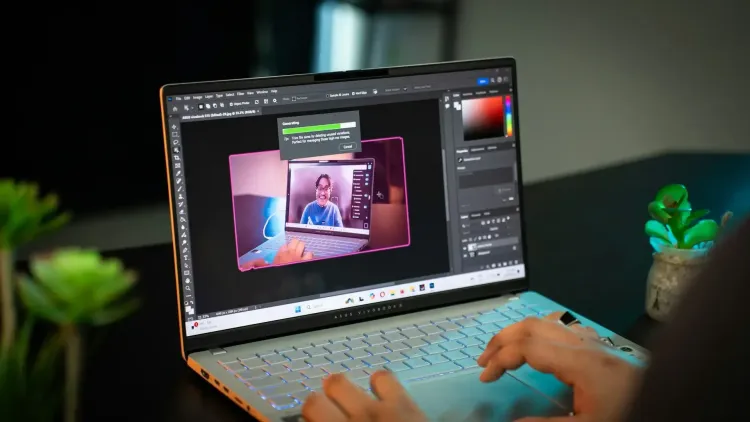
Photo editing has evolved from manual adjustments and layered compositions to AI-driven creativity that can completely transform an image with a single command. In 2025, AI tools don’t just enhance photos - they understand context, detect flaws, generate new content, and even automate entire workflows.
The latest generation of these tools offers generative fill, intelligent object removal, style transfer, one-click relighting, batch processing, and even image generation from text prompts. The best part? You don’t need to be a pro to use them; many of these apps cater to beginners while still offering advanced capabilities for experts.
Here are 5 amazing AI-powered photo editing apps in 2025 that combine speed, creativity, and innovation.
5 Amazing AI-Powered Photo Editing Apps You Should Try in 2025
Whether you’re a professional photographer refining a high-resolution portrait, a marketer creating scroll-stopping social media visuals, or a hobbyist looking to enhance holiday snaps, AI-powered editors now deliver professional-grade results at a fraction of the time. Here are 5 amazing AI-powered photo editing apps that you can benefit from in 2025:
1. Luminar Neo
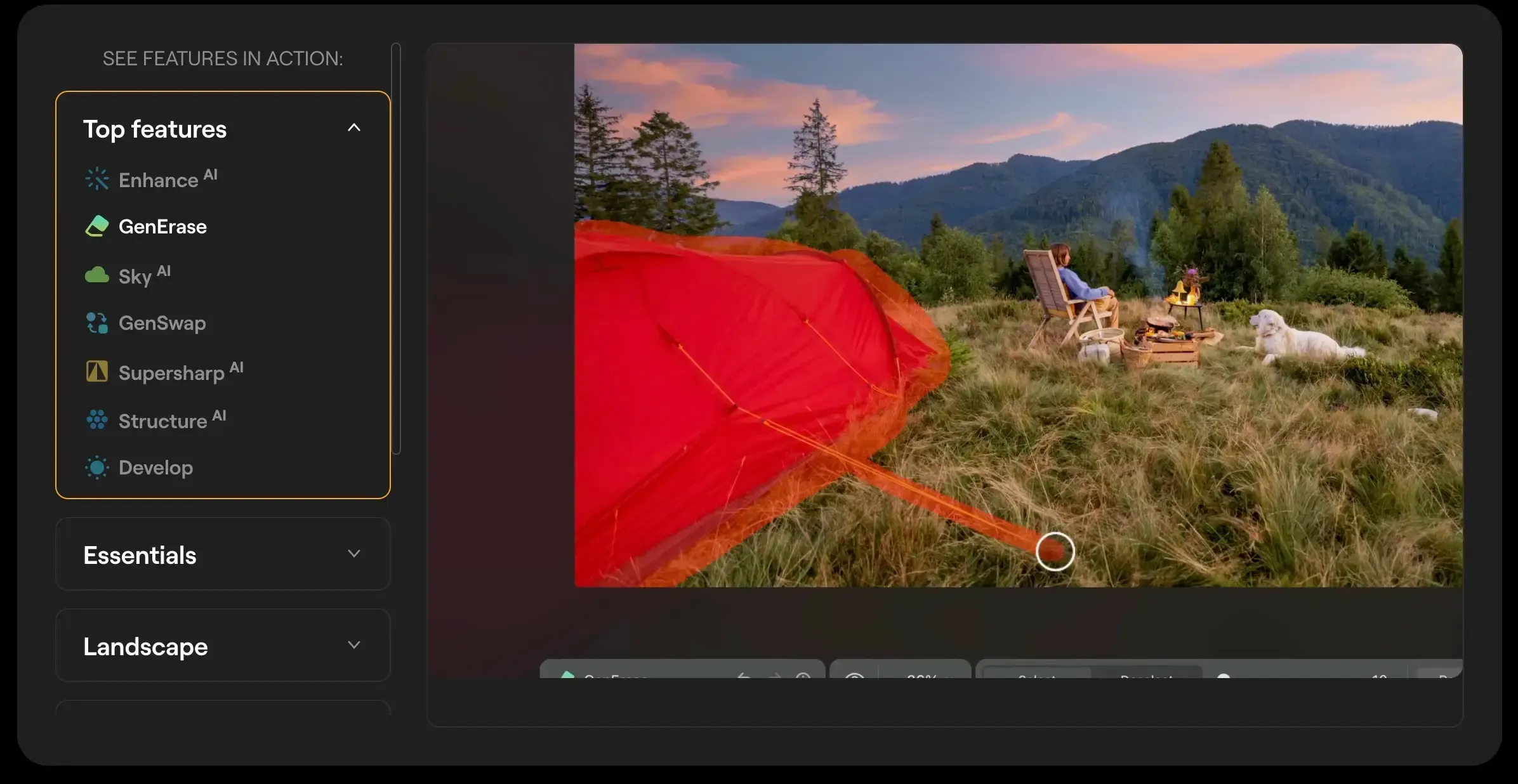
Among the best AI photo apps 2025, Luminar Neo stands tall as it is built for photographers who want fast, intelligent edits without sacrificing creative control.
| Plan | Price | Highlights |
|---|---|---|
| Perpetual License | From £99 | One-time payment, limited AI access duration |
Key Features
- Sky AI automatically detects and replaces dull skies with dramatic, high-quality alternatives that adjust lighting and reflections across the entire photo.
- Relight AI intelligently balances lighting by brightening dark areas and toning down overexposed sections while preserving natural shadows.
- Portrait AI enhances skin texture, smooths imperfections, and sharpens facial features without making the subject look artificial.
- AI noise reduction and sharpening clean up grainy images and restore lost detail, especially in low-light photography.
- Non-destructive editing workflow ensures you can always revert changes or tweak previous adjustments without starting from scratch.
| Pros | Cons |
|---|---|
| Easy-to-use yet powerful | AI tools may lag on older PCs |
| Strong landscape & portrait features | Catalog management weaker than Lightroom |
| Flexible purchase options | Generative AI access limited for perpetual license buyers |
Luminar Neo is a fantastic middle ground for creatives, offering high-quality results and smart tools without the Adobe price tag. Best for photographers wanting efficient, visually striking edits.
2. Pixlr
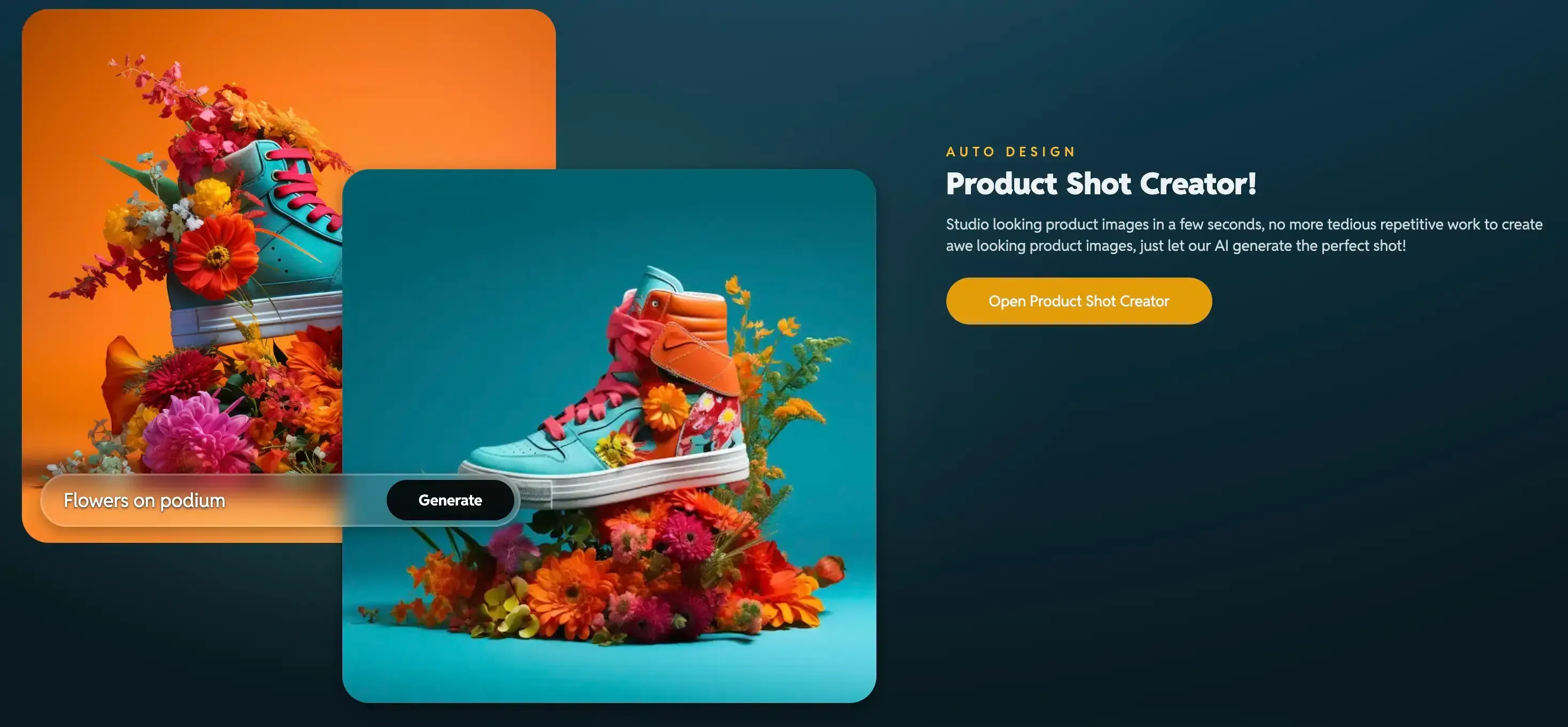
A lightweight, browser-based photo editor offering an impressive AI toolkit at budget-friendly prices.
The prices below are discounted with yearly billing.
| Plan | Price | Highlights |
|---|---|---|
| Plus | $2.49/month | Ad-free, 80 AI credits |
| Premium | $9.99/month | 1,000 AI credits, private mode |
| Team | $16.99/month | 5 users, premium benefits |
Key Features
- AI background removal instantly cuts out subjects, making it perfect for product photography and quick social posts.
- Generative fill and expand tools allow you to create new image sections or remove elements without leaving visible traces.
- Collage maker and animation tools give you creative freedom for fun, shareable content.
- AI image generation from text prompts lets you create entirely new visuals by simply describing what you want.
- Batch editing options help you process multiple files with consistent styles and adjustments.
| Pros | Cons |
|---|---|
| Very affordable plans | Needs stable internet |
| Fast, lightweight performance | AI can produce artifacts on complex edits |
| Great for quick edits | Less feature-rich than pro tools |
Pixlr is perfect for beginners and budget-conscious users who want easy, no-install AI editing. It’s fast for quick jobs but not designed for high-end professional retouching.
3. Fotor
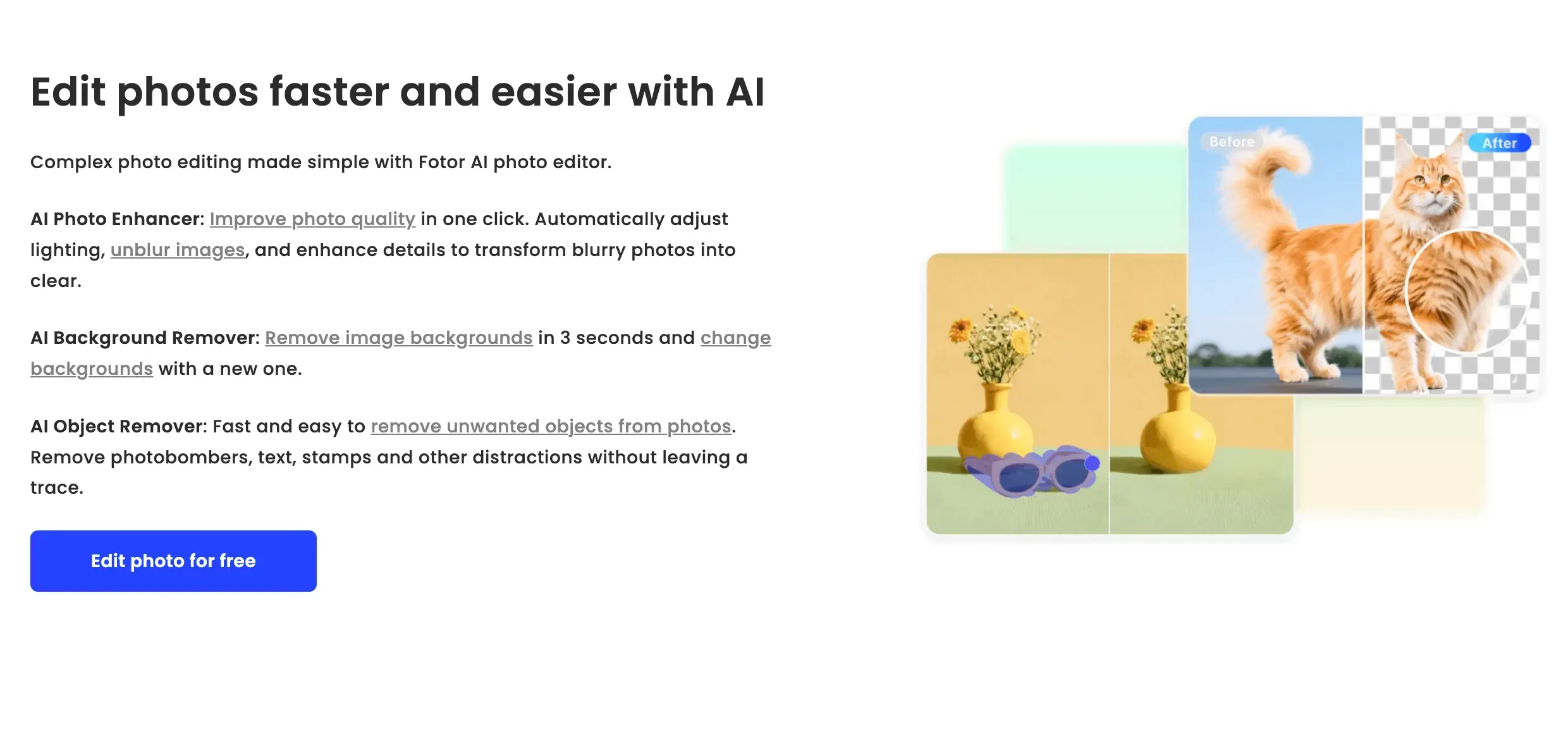
A user-friendly, web-based AI editor that’s perfect for social media creators and small business owners.
The prices below are discounted with yearly billing.
| Plan | Price | Highlights |
|---|---|---|
| Basic | £0 | Basic editing tools |
| Pro | £7.99/month | AI tools, batch editing, templates |
| Pro+ | £17.99/month | Commercial assets, brand kits, large storage |
Key Features
- AI retouching automatically smooths skin, brightens eyes, and removes blemishes while keeping the subject’s natural look intact.
- Background and object removal tools let you isolate your subject or swap environments instantly without complex selections.
- AI art and headshot generator turns text prompts into unique artworks or creates professional-looking profile pictures in seconds.
- Batch photo editing enables you to apply the same enhancements to dozens of images simultaneously, saving hours of repetitive work.
- Template-based design tools provide ready-made layouts for social media posts, ads, and marketing materials.
| Pros | Cons |
|---|---|
| Great for quick, polished results | Limited free features |
| Batch editing saves time | AI results can vary in accuracy |
| Simple, intuitive UI | Pro+ may be costly for solo users |
Fotor is a practical choice for content creators who value speed and simplicity. While it can’t match pro-level detail, its AI features deliver social media-ready images in minutes.
4. Canva Magic Studio
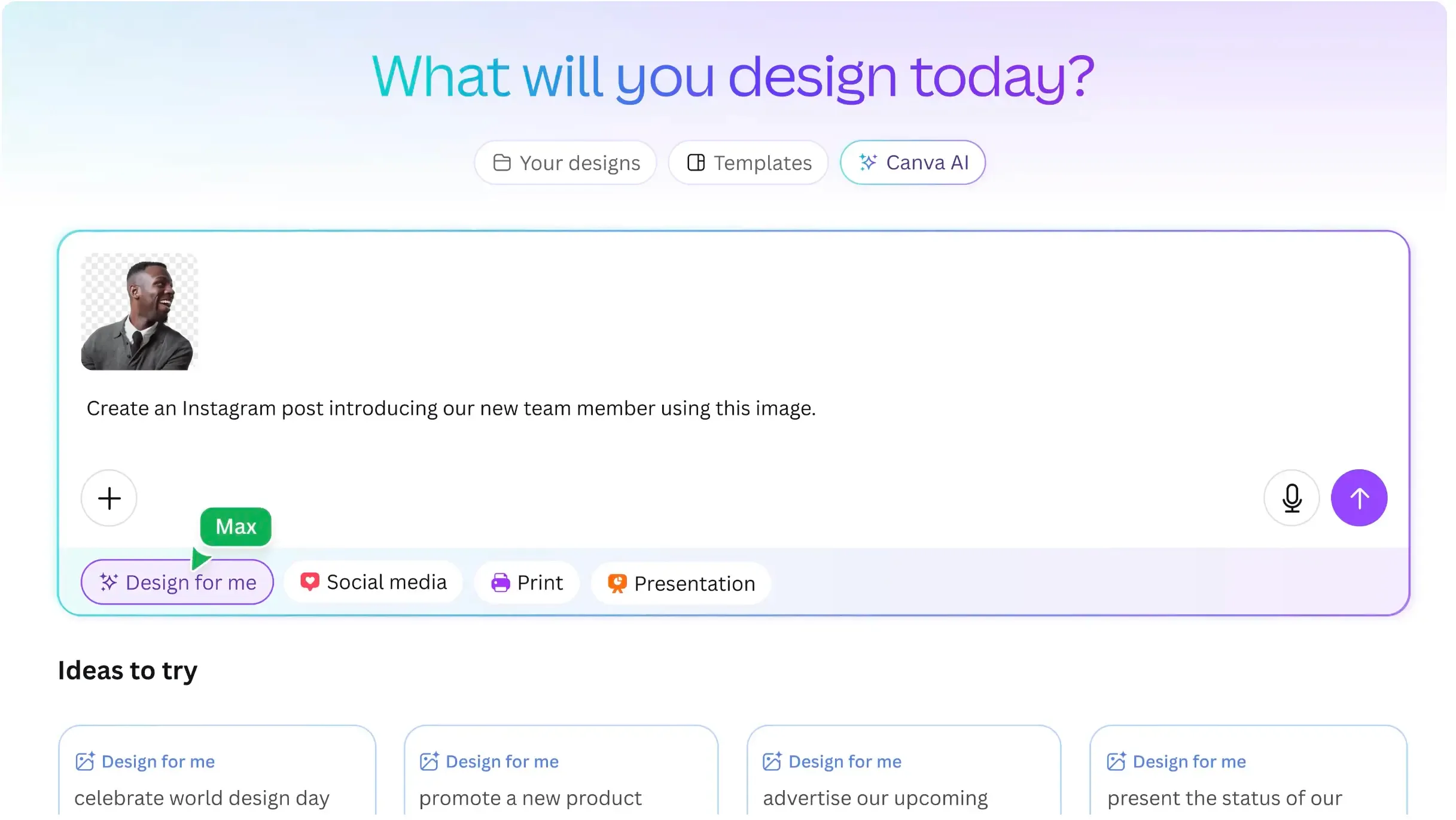
Best known for design templates, Canva now integrates Magic Studio AI to make photo editing and design creation even faster.
The prices below are discounted with yearly billing.
| Plan | Price | Highlights |
|---|---|---|
| Free | £0 | Basic features, 5GB storage |
| Pro | £13/month | Magic Studio, 1TB storage, brand kit |
| Teams | £9/user/month | Collaboration tools for teams |
Key Features
- Magic Edit and Magic Eraser allow you to remove unwanted elements or replace them with AI-generated objects that match the style of your design.
- Magic Grab lets you separate elements from a photo and reposition them freely without affecting the background.
- Magic Animate brings still designs to life with smooth, AI-generated motion effects.
- Magic Design generates complete, ready-to-use layouts from a single image or text prompt, speeding up creative workflows.
- AI text and image generation means you can create captions, blog headers, and unique visuals without leaving Canva’s editor.
| Pros | Cons |
|---|---|
| Beginner-friendly, all-in-one | AI capped on free plan |
| Massive design asset library | Teams pricing adds up for large groups |
| Cloud-based - no install needed | Less precise than pro photo editors |
Canva Magic Studio is among the best AI photo apps 2025 that is ideal for marketers, educators, and influencers who need fast, branded content. Its AI tools are quick to learn but won’t replace pro-grade photo editors for complex work.
5. Claid
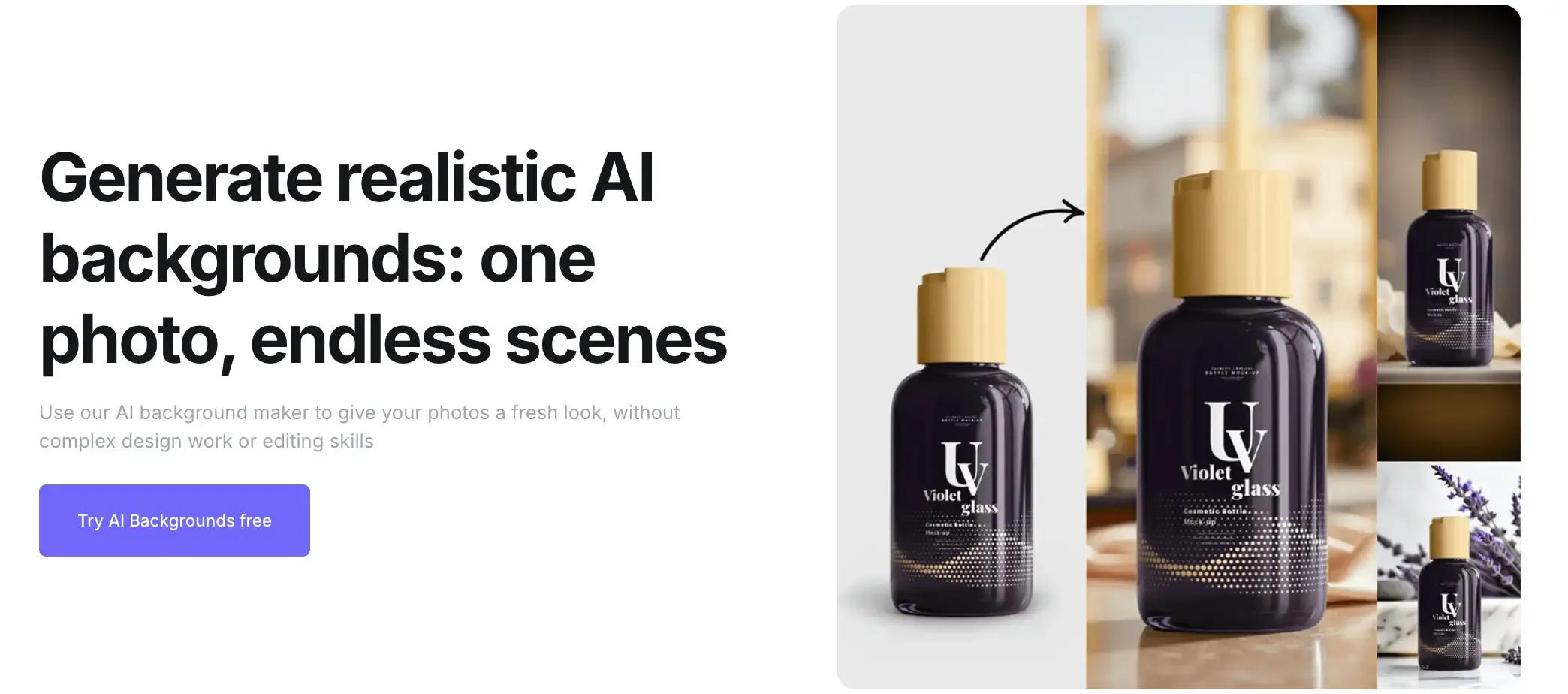
Fantastically create and improve professional photos with AI. Just exemplary for your magazines, social media, and adverts.
The prices below are discounted with yearly billing.
| Price | Plan | Highlights |
|---|---|---|
| Essentials | $15/month | Next-gen AI for creating custom product backgrounds |
| Pro | $49/month | 15 AI Videos and 500 AI Photoshoot images |
| Business | Custom | Early access to beta tools and research |
Key Features
- Browse history by tracking your image generation history.
- Custom AI available so you can train a personal custom AI from your photos.
- AI Fashion Models ready to be generated on apparel images with AI.
- AI Videos allow for quick 5 second animation videos on photoshoots.
- Outpaint (extend) image is a feature that allows users to extend images using AI.
| Pros | Cons |
|---|---|
| Perfect for creating beautiful product photos | Can be a little on the expensive side using the pro package |
| Able to see your image generation history | Can be used for a variety of uses but its main use case is with product photography in mind |
| Makes editing product photos simple | An internet connection is always required |
Focusing on product photos, Claid.ai delivers a number of features benefitting anyone looking to display product images. Whether it be on an e-commerce platform or on print outs, Claid specialises in making your products look amazing.
Which AI Photo Editor Should You Choose?
With so many AI-powered photo editors in the market, it’s easy to feel overwhelmed by the options. Each tool we’ve covered offers something unique, whether it’s Luminar Neo’s photographer-focused tools or Pixlr’s ultra-affordable plans.
To help you decide faster, here’s a side-by-side comparison of all five best AI photo apps of 2025, including their starting prices, ideal users, main strengths, and possible drawbacks.
Quick Comparison Table: 5 Amazing AI-Powered Photo Editing Apps (2025)
| Tool | Starting Price | Best For | Key Strengths | Limitations |
|---|---|---|---|---|
| Luminar Neo | £99 Perpetual Desktop License | Photographers seeking creative control | Powerful sky/lighting AI, flexible pricing, non-destructive editing | Performance issues on older devices, weaker catalog management |
| Pixlr | $2.49/month Plus | Beginners & budget users | Affordable, quick edits, text-to-image | Limited advanced features, needs stable internet |
| Fotor | Free / £7.99/month Pro | Social media creators & small businesses | Easy UI, batch editing, AI headshots/art | AI accuracy varies, limited free plan |
| Canva Magic Studio | £13/month Pro | Marketers, educators, influencers | Huge asset library, all-in-one design + AI tools, beginner-friendly | AI caps on free plan, less precision than pro editors |
| Claid | Free trial / $15/month Essentials | E-commerce merchants, content creators, or marketers | Highly accurate, beautiful AI background generation for product images | Main use case is for product image generation |
Prices in the above table may be discounted with yearly billing.
Bottom Line
For photographers, Luminar Neo’s creative AI tools strike a perfect balance between quality and price. Fotor and Canva Magic Studio are ideal for social media-ready visuals. Pixlr is perfect for quick, budget-friendly edits without installing heavy software, while Claid is super efficient in beautifying your product images as a whole, to enhance your product's pull.
The best choice comes down to your goals: heavy-duty professional work, casual content creation, or rapid-fire social media posting. Once you’re clear on your needs, picking the right AI photo editor becomes a lot easier.
