



In the digital age, deciding where to save your important files is more than just a convenience - it's a critical choice that impacts security, accessibility, and peace of mind. With cloud saving becoming increasingly popular, some users wonder if they should stick with it or return to the more traditional method of saving data locally.
This article breaks down the advantages and disadvantages of both to help you make an informed decision.
What Is Cloud Saving?
Cloud saving refers to the practice of storing your digital files (such as documents, photos, videos, and backups) on remote servers maintained by large tech companies like Google, Apple, Dropbox, Microsoft, and others. These servers, often housed in massive data centers around the world, keep your data securely and allow you to access it over the internet from any compatible device.
Instead of saving files only on your computer’s hard drive, smartphone, or external storage device, cloud saving means your data “lives in the cloud.” This setup offers flexibility and convenience that traditional local storage cannot match. However, it also comes with trade-offs related to privacy, cost, and internet reliance.
Benefits of Cloud Saving

Access From Anywhere:
Cloud storage frees you from being tied to a single device. Whether you’re at home, at work, or traveling, you can log into your cloud account on any smartphone, tablet, laptop, or desktop to retrieve or upload files. This flexibility is especially useful for people who use multiple devices or need to access data remotely. It also simplifies sharing files with friends, family, or coworkers without transferring physical drives.
Automatic Backup and Sync:
One of the biggest advantages of cloud saving is automation. Many services automatically sync your files in the background, ensuring that every change you make is instantly saved across all your devices. This minimizes the risk of losing important data due to accidental deletion, device failure, or other mishaps. Automatic backups also reduce the burden on users to remember to back up their data regularly.
Collaboration Made Easy:

Cloud platforms are designed for teamwork. Features like shared folders, real-time document editing, and version control allow multiple users to work on the same file simultaneously from different locations. This capability has transformed how businesses, students, and creative teams collaborate, speeding up workflows and reducing the need for endless email attachments.
Saves Local Storage Space:
By moving files to the cloud, you can free up valuable space on your device’s hard drive or mobile storage. This is especially helpful for devices with limited storage capacity, like smartphones or budget laptops. Offloading large files such as videos or high-resolution photos to the cloud keeps your device running smoothly without the slowdown caused by near-full storage.
Downsides of Cloud Saving

Privacy Concerns:
Because your files are stored on servers controlled by third-party providers, you are placing a significant amount of trust in their security measures and privacy policies. Data breaches, hacking incidents, or unauthorized access could compromise your sensitive information. Although reputable cloud providers invest heavily in security, no system is 100% immune to threats. Additionally, some providers may scan your files for advertising purposes or government compliance, which could raise privacy issues.
Internet Dependency:
Cloud saving relies heavily on internet connectivity. Without a stable and reasonably fast connection, accessing or uploading files becomes frustrating or even impossible. This can be a major drawback in areas with limited or expensive internet access. It also means that if the cloud service itself experiences downtime or outages, you may lose access to your data temporarily.
Ongoing Costs:
While many cloud providers offer free storage tiers, these usually come with limited space (often around 5 to 15 GB). For users with extensive data needs, such as photographers, video editors, or businesses, upgrading to higher storage plans requires monthly or annual subscription fees. Over time, these costs can add up and become a significant expense compared to a one-time purchase of local storage hardware.
Data Control:
When you save files in the cloud, you essentially hand over control of your data to the service provider. This means you’re dependent on their policies, infrastructure, and long-term viability. If the provider changes terms of service, reduces free storage, suffers data loss, or even shuts down, you could lose access or be forced to migrate your data quickly. Users with sensitive or proprietary information may find this loss of direct control concerning.
What About Local Storage?
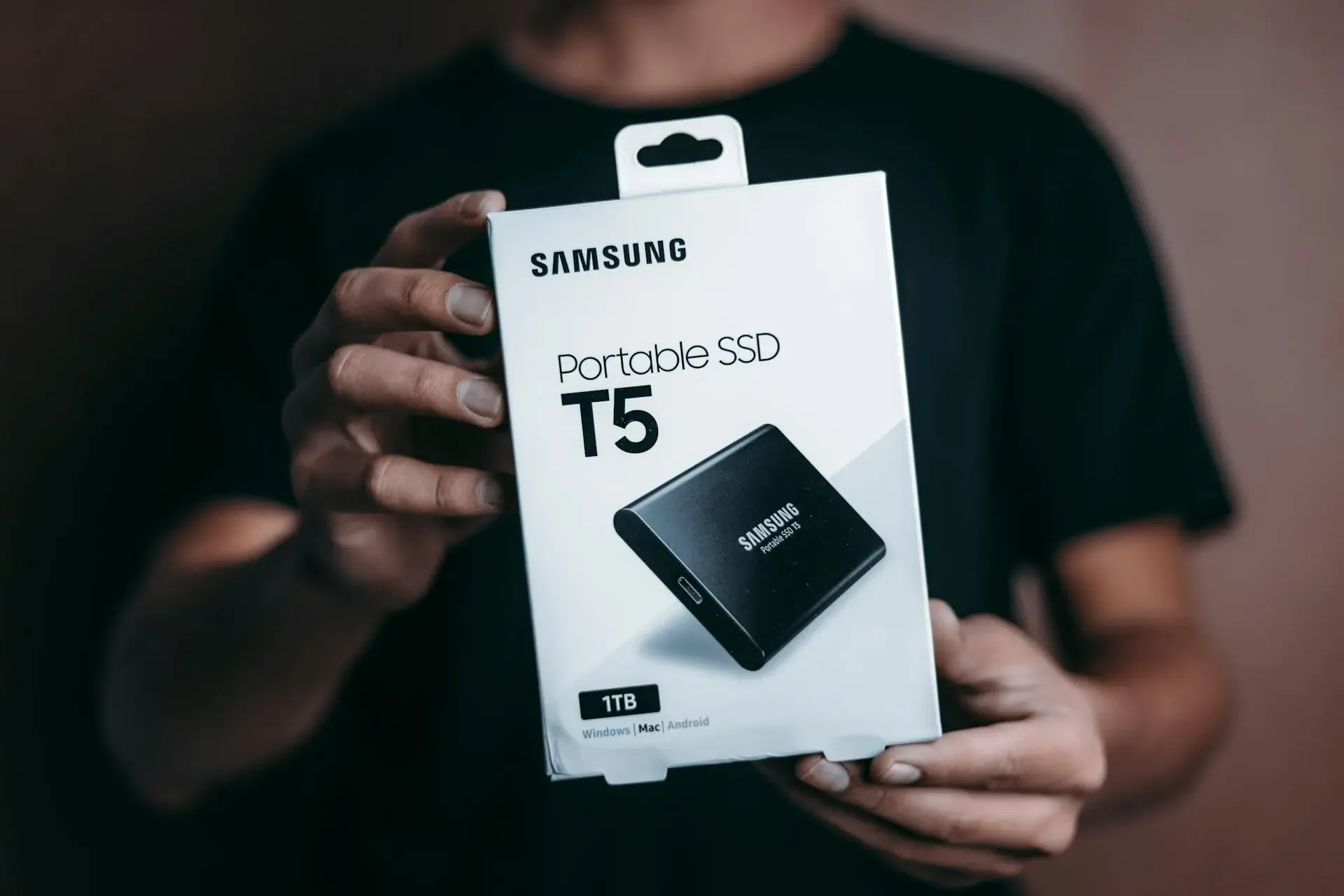
Local storage means saving your data directly onto physical devices that you own and control. This includes your computer’s internal hard drive or solid-state drive (SSD), as well as external media such as USB flash drives, external hard drives, SD cards, or even CDs and DVDs. Unlike cloud saving, where your files are stored on remote servers accessed via the internet, local storage keeps your data physically close and fully in your hands.
Benefits of Local Storage
Full Control:
When you save files locally, you retain complete ownership and control over your data. There’s no need to trust third-party companies or their servers. This can be especially important for sensitive information, confidential documents, or files that you prefer to keep private. You decide when, where, and how your data is accessed, without relying on external policies or service providers.
Offline Availability:
Local storage doesn’t require an internet connection. Whether you’re on a plane, in a remote area, or facing network outages, you can always access your files instantly. This independence from the internet ensures uninterrupted productivity and access to important information no matter where you are.
No Subscription Fees:
Unlike many cloud services that charge recurring fees for larger storage capacities, local storage devices involve a one-time purchase cost. After buying an external hard drive or upgrading your device’s internal storage, there are no ongoing monthly or annual charges. This can make local storage a more economical choice in the long run, especially for large amounts of data.
Faster Access:
Accessing files saved locally is often quicker than downloading them from the cloud, especially when dealing with large files like high-resolution videos or extensive photo libraries. Local drives offer consistent read and write speeds without dependence on internet bandwidth or latency, allowing for smoother editing, faster file transfers, and better overall performance.
Drawbacks of Local Storage

Risk of Hardware Failure:
Physical storage devices are susceptible to damage, wear and tear, and malfunction. Hard drives can crash, SSDs can fail, USB drives can get corrupted, and physical media can degrade over time. Additionally, devices can be lost, stolen, or accidentally damaged by water, fire, or impact. Without proper backup, this can lead to permanent loss of your valuable data.
Limited Accessibility:
Unlike cloud storage, which lets you access your files anywhere, local storage requires you to be physically near your device or carry the storage media with you. This can be inconvenient if you frequently switch between locations or devices, or if you forget your external drive at home. It also limits easy file sharing, as transferring data requires connecting the device or using other physical means.
Manual Backup Required:
Since local storage lacks the automatic sync and backup features of cloud services, you must proactively manage your data backups. This involves regularly copying files to additional devices or backup systems, which can be time-consuming and prone to human error. Neglecting backups increases the risk of losing data due to hardware failure or accidental deletion.
Finding the Right Balance: Hybrid Storage

For many users, the best solution isn’t choosing strictly between cloud saving or local storage but combining both approaches into a hybrid storage strategy. This balanced method leverages the strengths of each option while minimizing their weaknesses. By thoughtfully dividing your data between the cloud and local devices, you can enjoy both convenience and security without compromise.
A hybrid approach lets you keep everyday files, like work documents, notes, and shared projects, in the cloud for easy access and seamless collaboration. Meanwhile, you can store sensitive, private, or large files on local devices, giving you full control and reducing reliance on internet connectivity. This approach also offers greater protection against data loss by spreading your storage risk across multiple platforms.
Tips for a Successful Hybrid Strategy
Combining cloud and local storage gives you the best of both worlds. You get the convenience and collaboration benefits of the cloud alongside the control and security of local files. Here are some practical tips to make a hybrid approach work smoothly for you:
- Smart Cloud Use: Keep files you need often or share with others in the cloud. Platforms like Google Drive or Dropbox make syncing and collaboration easy, ensuring your documents are accessible anytime, anywhere.
- Secure Local Storage: Save sensitive or personal files on encrypted local drives. Encryption tools like BitLocker or FileVault protect your data from unauthorized access if your device is lost or stolen.
- Regular Backups: Make it a habit to back up your local data regularly, either to an external drive or another cloud service. This protects you from hardware failure or accidental deletion.
- Protect Your Accounts: Use strong passwords and enable two-factor authentication on your cloud accounts to keep your data safe from hacking or unauthorized access.
Conclusion

The choice between cloud saving and local storage depends on your priorities—whether you value convenience and accessibility or control and security. Many users find that blending both options ensures their data is both safe and easy to reach. As technology evolves, staying informed and adapting your storage habits can help you protect what matters most.
